
Create a New Agent
Follow these steps to initialize a new AI model. Creating an Agent involves linking a verified data source to your desired classification structure so the machine learning engine can begin identifying spend patterns.
🛠️ Step-by-Step Setup
-
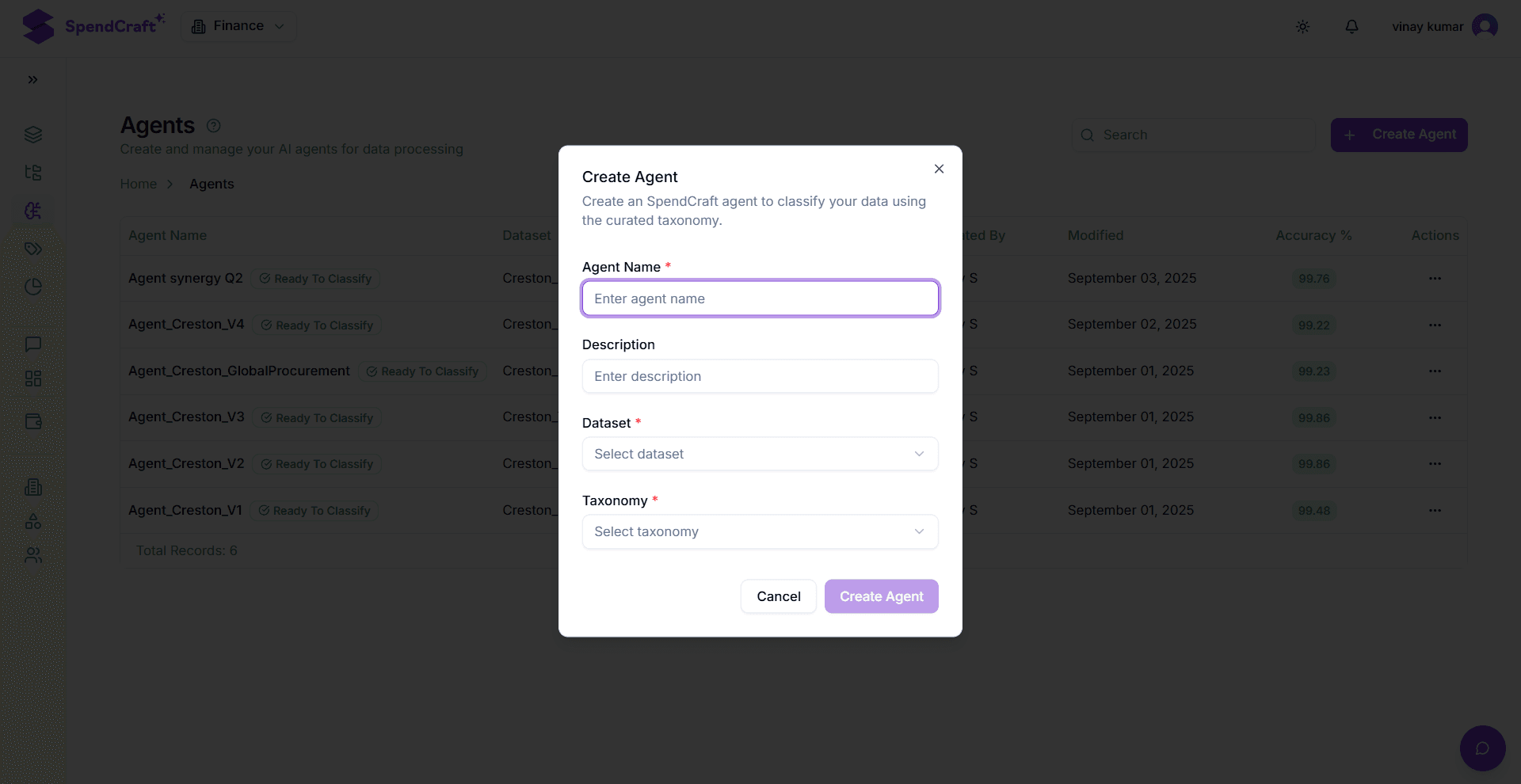
Start Creation: When you are on the Agents module page, click on the + Create Agent button.
-
Enter Agent Info: A dialog box appears. In that enter the Agent Name (e.g., ICP_03) and a Description.
-
Select Training Data: Select the specific Dataset you want the Agent to train on from the dropdown menu.
-
Select Taxonomy: Select the Taxonomy that defines the spending categories the Agent will use.
-
Finalize: Click Create Agent. The Agent is now initiated and begins its training process
-
Define Identity: In the creation dialog, enter a unique Agent Name (e.g.,
North_America_Indirect_v1) and a clear Description of its intended scope. -
Select the Training Source: From the Dataset dropdown, choose the specific dataset the Agent will use for its initial learning phase.
Note
For the best results, ensure this dataset has already undergone Vendor Normalization.
-
Map the Target Taxonomy: Select the Taxonomy that contains the category hierarchy you want the Agent to output. This acts as the Agent's "dictionary."
-
Finalize & Launch: Click Create Agent. The system will immediately begin the Model Initiation phase.
⏳ What Happens Next?
Once you click Create, the Agent moves through two automatic states:
- Training: The AI is analyzing the textual patterns in your selected Dataset and mapping them to the Taxonomy.
- Ready to Classify: Once the model reaches this state, you can use it to classify any other compatible dataset across the platform.
💡 Success Criteria
- Data Quality: Use a training dataset that is as "clean" as possible. The more accurate your initial dataset, the less manual auditing you will have to do later.
- Taxonomy Alignment: Ensure the Taxonomy you select has enough depth (Level 3 or Level 4) to capture the nuances of the data in your training set.
Next Step: Once your Agent is "Ready," you can begin Auditing and Configuration to refine its accuracy.