
Delete an Active Member
This procedure is used to formally terminate a user's access to the SpendCraft application and its data. This is a critical step in the offboarding process to ensure that sensitive financial information remains secure after a team member leaves the organization or changes roles.
🛡️ Steps to Terminate Access
Follow these steps to permanently remove an active user from the platform:
1. Go to All Tab:
On the Manage Team page, ensure you are on the All tab. This view provides a comprehensive list of every active member with current platform access.
2. Locate User:
Scroll through the list or use the search function to find the specific user account you wish to delete (e.g., Srilekha Katkam).
3. Initiate Deletion Action:
Locate the user's row and click the ellipsis (...) in the Actions column on the far right.
4. Select Delete:
From the dropdown menu, click the Delete button.
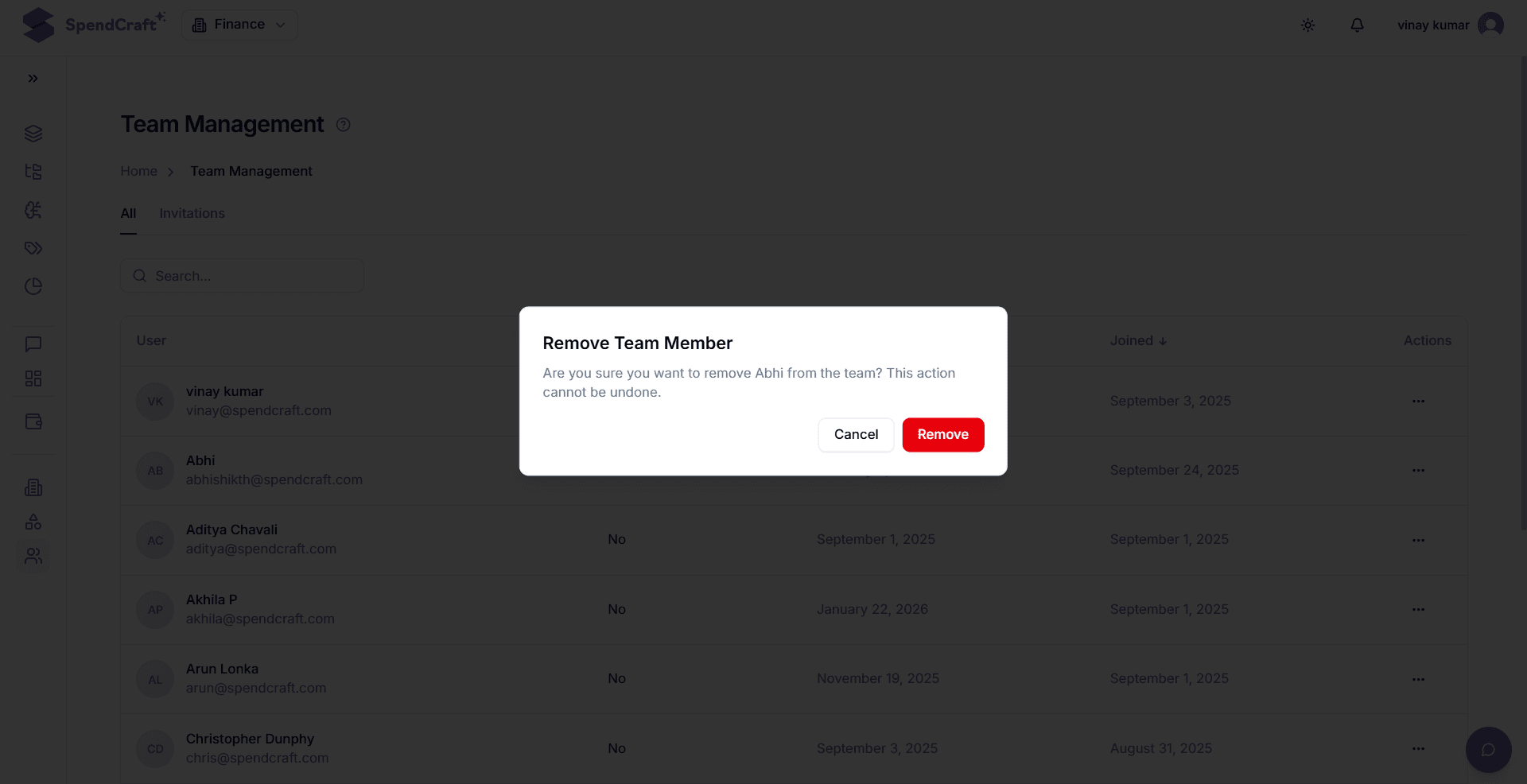
5. Confirm Termination:
The system will display a confirmation dialog to verify that you want to permanently remove the user's access. This step is vital to prevent accidental deletion.
6. Finalize Removal:
Confirm the action within the dialog. The user's account will be immediately:
- Deactivated: All active sessions will be terminated.
- Revoked: The user will no longer be able to sign in via SSO or standard login.
- Removed: The record will disappear from the active user list.
⚠️ Important Considerations
- Irreversibility: Once a member is deleted, their specific global and workspace-level permissions are cleared. If they return to the project, they must be re-invited as a new member.
- Data Integrity: Deleting a user does not delete the data they uploaded or the Agents they trained. Their contributions to the workspace remain intact; only their ability to access them is removed.
- Offboarding Compliance: Ensure this step is completed immediately upon an employee's departure to remain compliant with corporate security and data privacy policies.