
Track and Revoke Pending Invitations
Maintaining a secure SpendCraft environment requires active management of the user onboarding funnel. Administrators should regularly audit outstanding invitations to ensure that only authorized individuals have the potential to join the platform.
🔍 Steps to Audit and Revoke Invitations
1. Review Pending List:
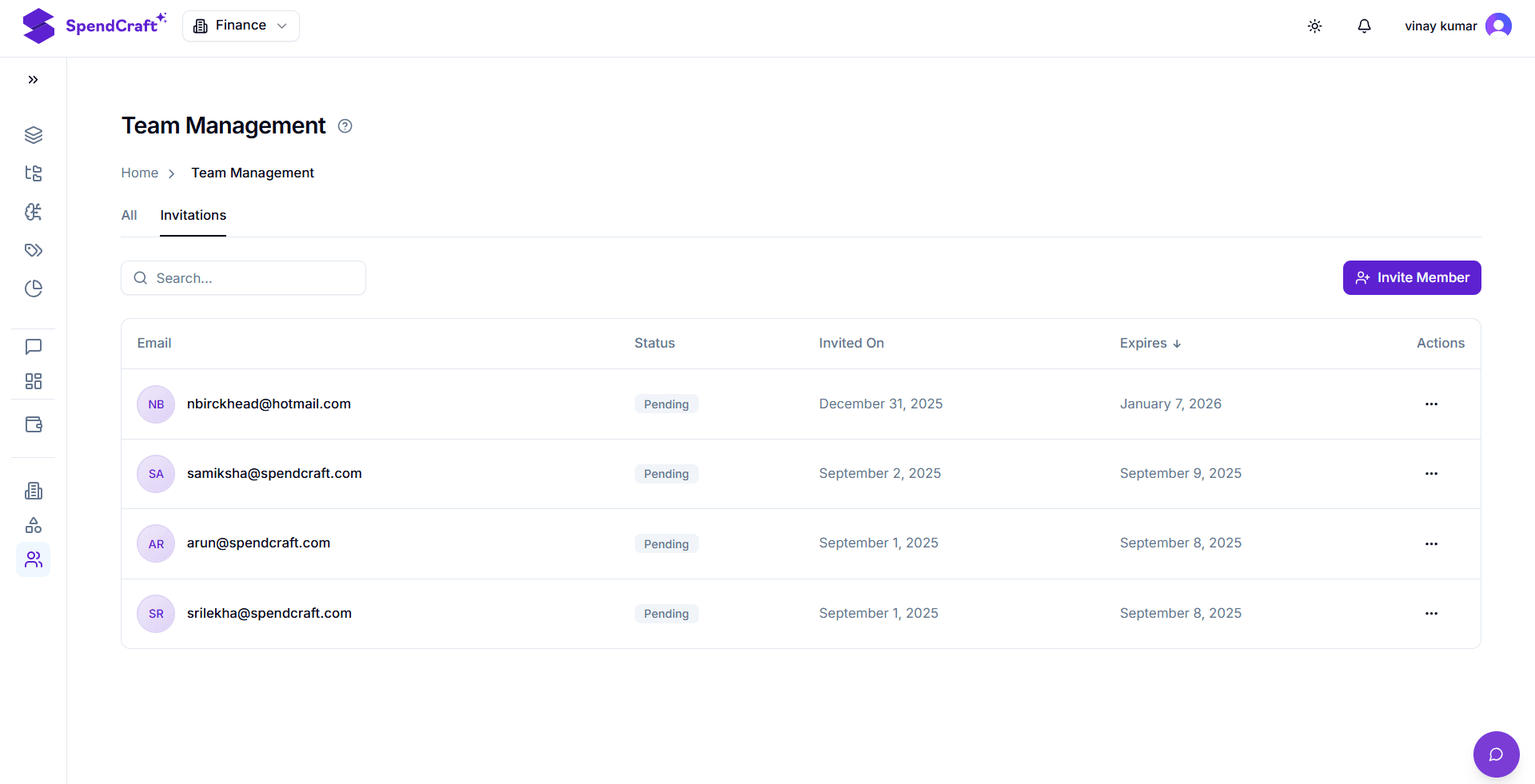
Navigate to the Manage Team module and select the Invitations tab. This view displays all outstanding invites that have been sent but not yet accepted.
2. Revoke Access:
If a pending invitation needs to be cancelled before it is accepted—for example, if a hiring decision changes, a contract is terminated, or an email was sent to an incorrect address—follow these steps:
- Find the Invitation: Locate the specific entry in the list.
- Access Actions: Click the ellipsis (...) in the Actions column for that record.
- Click Revoke: Select the Revoke option.
Result: The invitation link is instantly deactivated. Even if the recipient clicks the link in their email, they will be denied access to the account setup process.

🛡️ Security Best Practices
- Regular Audits: Conduct a weekly review of the Invitations tab. Revoke any invites that have been pending for more than 14 days without communication.
- Cleanup Strategy: Revoking stale invitations reduces the "attack surface" of your organization by ensuring no forgotten, active links are lingering in external email inboxes.
- Immediate Revocation: If an invitation was sent to a personal email address instead of a corporate one, revoke it immediately and resend the invite to the correct managed identity.
Next Step: Once an invitation is revoked, the user is removed from the pending list. To manage existing users who have already joined, visit the Update Permissions Guide.