
Deploying Results to Workspaces
Once an Agent has finalized the classification of a dataset, you must deploy those results to a Workspace. This step transitions the data from the "Processing" phase to the "Reporting" phase, making it visible to authorized analysts and stakeholders.
🚀 The Publishing Workflow
-
Review Available Workspaces: On the Agent detail page, navigate to the Workspaces section. Here, you will see a list of internal environments (e.g.,
Delta_Production,Global_Procurement_Testing) that can receive this classified data.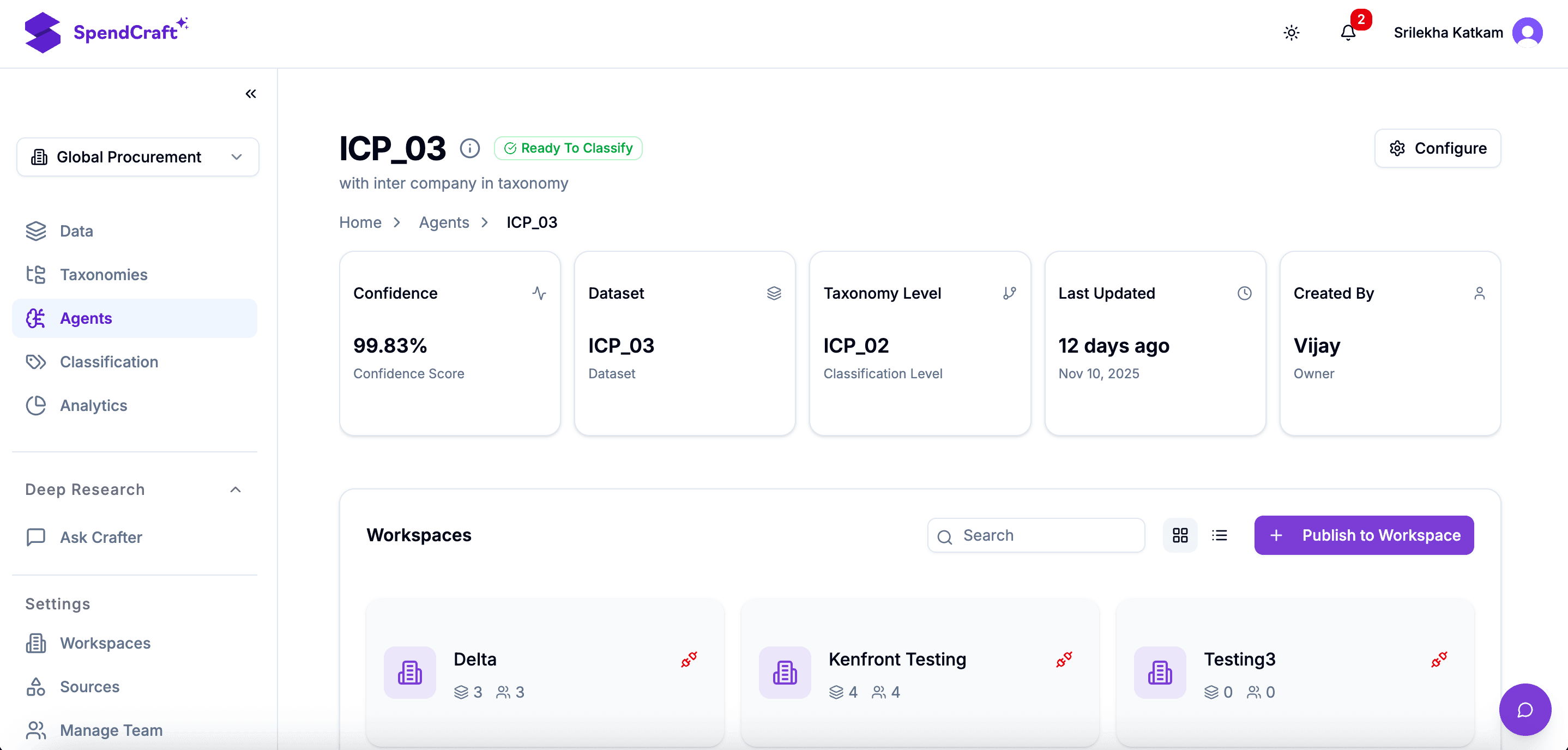
-
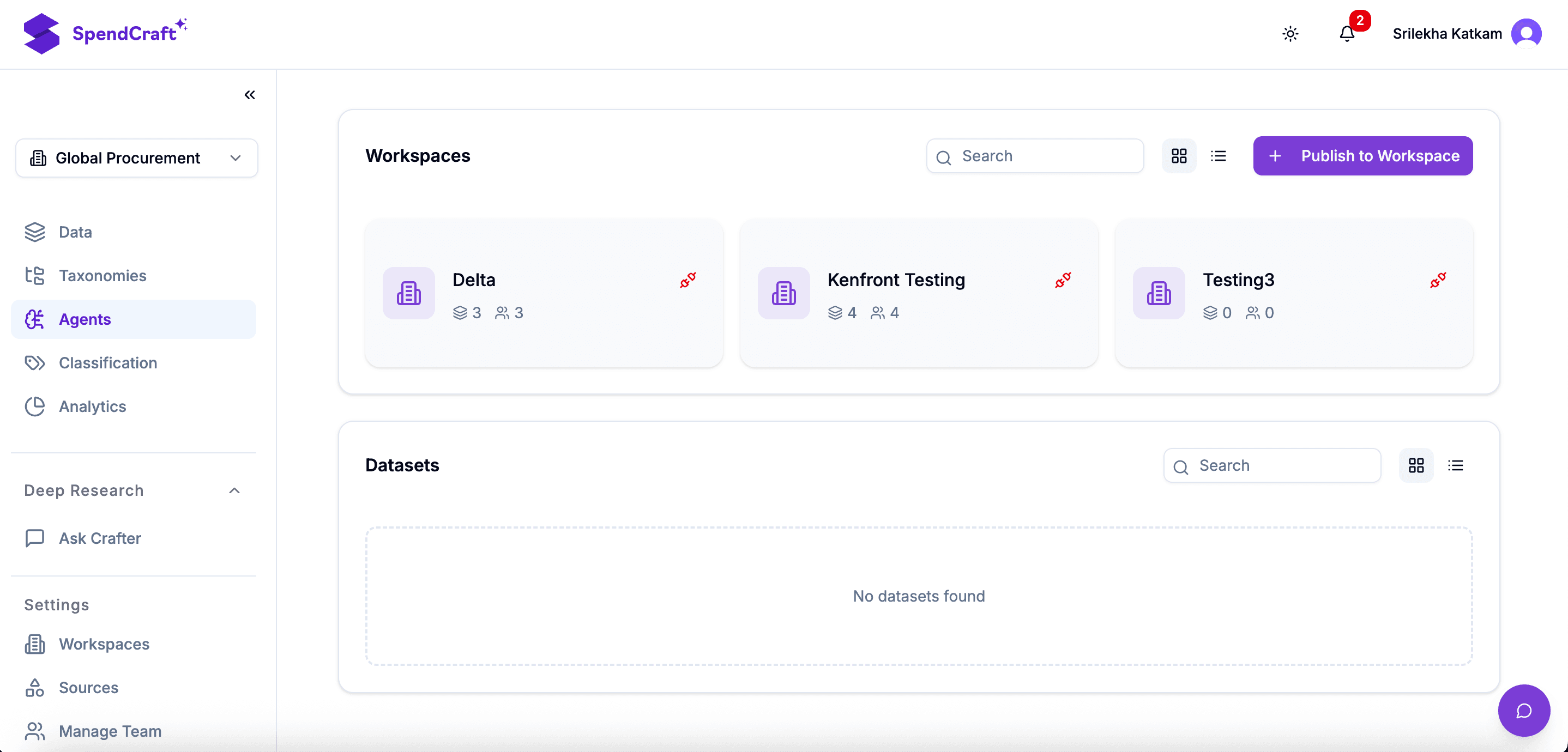
Publish Results: Identify the target Workspace and click Publish to Workspace.
- This action "pushes" the specific classification paths and normalized vendor data into the Workspace environment.
- It ensures that all charts, dashboards, and pivot tables in that Workspace reflect the most recent AI-driven insights.
-
Verify Dataset Links: Scroll to the Datasets section to confirm the connection. This table provides an audit trail of:
- Which data segments were processed by this specific Agent.
- The current status of the data (e.g., Published, Processing, or Pending).
🛡️ Data Governance & Security
Publishing to a Workspace is a controlled action. It allows you to:
- Segment Data: Ensure the Finance Team only sees the Indirect Spend results while the Supply Chain Team sees the Manufacturing results.
- Control Versions: Only publish data once it has passed your manual audit, preventing "draft" or low-confidence data from reaching executive dashboards.
Pro-Tip
If you perform additional manual auditing on an Agent after it has already been published, you should Re-publish to the Workspace. This ensures the refined "Continuous Learning" from your audit is reflected in the final reports.