Sign Up
Creating Your Account
This process is for new users who don't have a SpendCraft account yet
🚀 Sign-Up Process
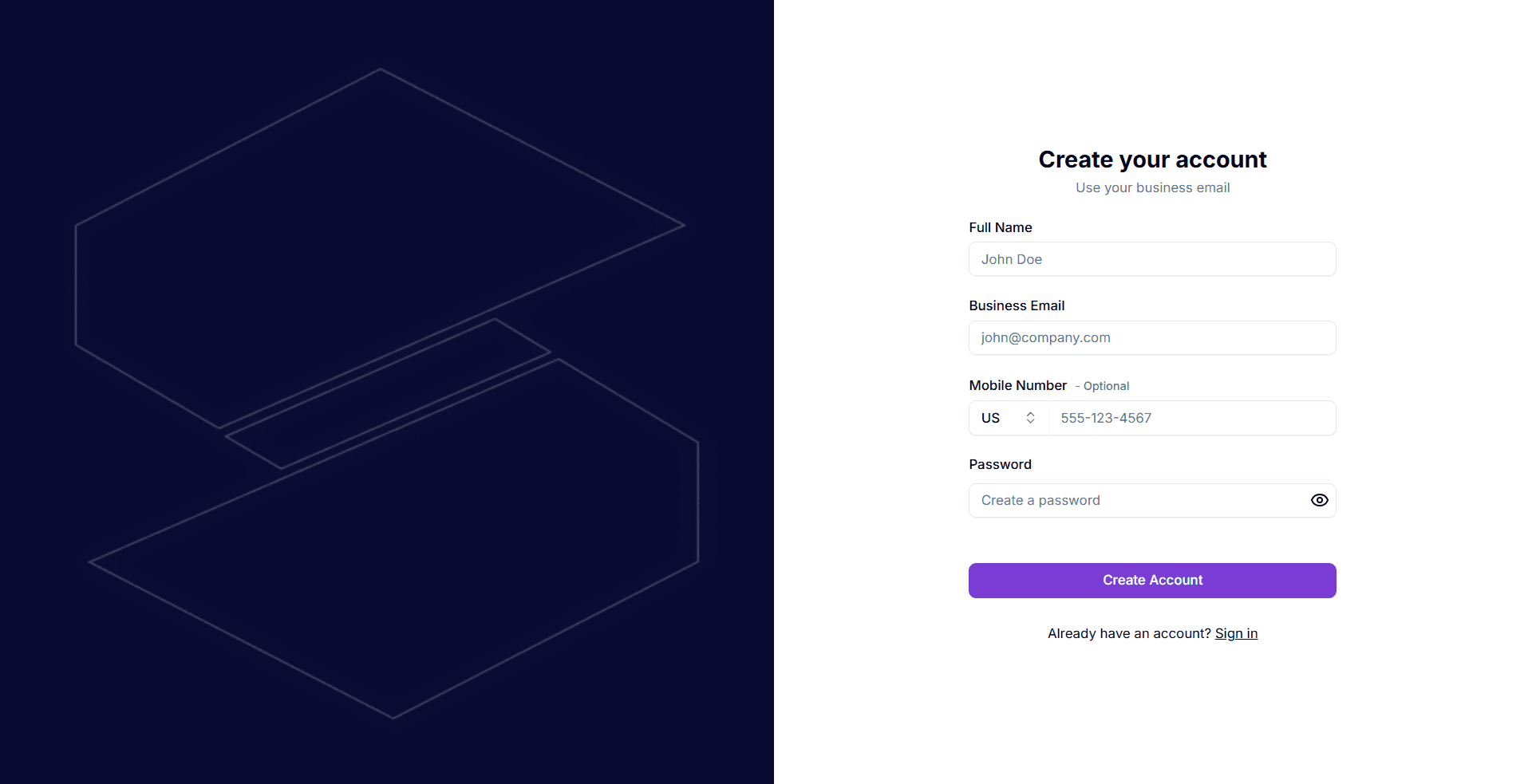
- Access Sign-Up: Navigate to the SpendCraft portal and click Sign Up.
- Personal Details: Enter your information into the following fields:
- Full Name: Minimum 3 characters (letters and spaces only).
- Business Email: Use your official work email address.
- Mobile Number (Optional): Select your country from the dropdown and enter your phone number.
- Password: Create a strong password that meets the following criteria:
- 8+ characters in length.
- One Uppercase (A-Z) & One Lowercase (a-z).
- One Number (0-9).
- One Special Character (e.g., !@#$%^&*).
- Finalize: Click Create Account to proceed to email verification.
Administrative Access
The first user to register from a specific company domain automatically becomes the Organization Admin, granting them full control over user invitations and access management.